2025-12-20
Backend with Node
A robust Twitter-style API built with Express and MongoDB, featuring real-time updates via Socket.IO and advanced security layers.
🚀 Project: Dwitter Server
Dwitter is a lightweight yet powerful Twitter-style backend API. I built this to practice creating a secure, real-time environment that handles user authentication and live tweet broadcasting efficiently.
🔗 Project Links
- Live Demo: dwitter-clone.netlify.app
- GitHub Repository: gyuripk/dwitter-server
🌐 Deployment & Tech Stack
I deployed this project using a modern cloud stack to ensure high availability and performance.
- Frontend: Hosted on Netlify for seamless static delivery.
- Backend: Deployed on Render, managing the Node.js environment and WebSocket server.
- Database: MongoDB Atlas for scalable cloud data storage.
- Real-time: Socket.IO for instantaneous tweet broadcasting across all clients.
🛡️ Core Features
This backend is engineered with a focus on security and a smooth user experience.
⚡ Real-time Interaction
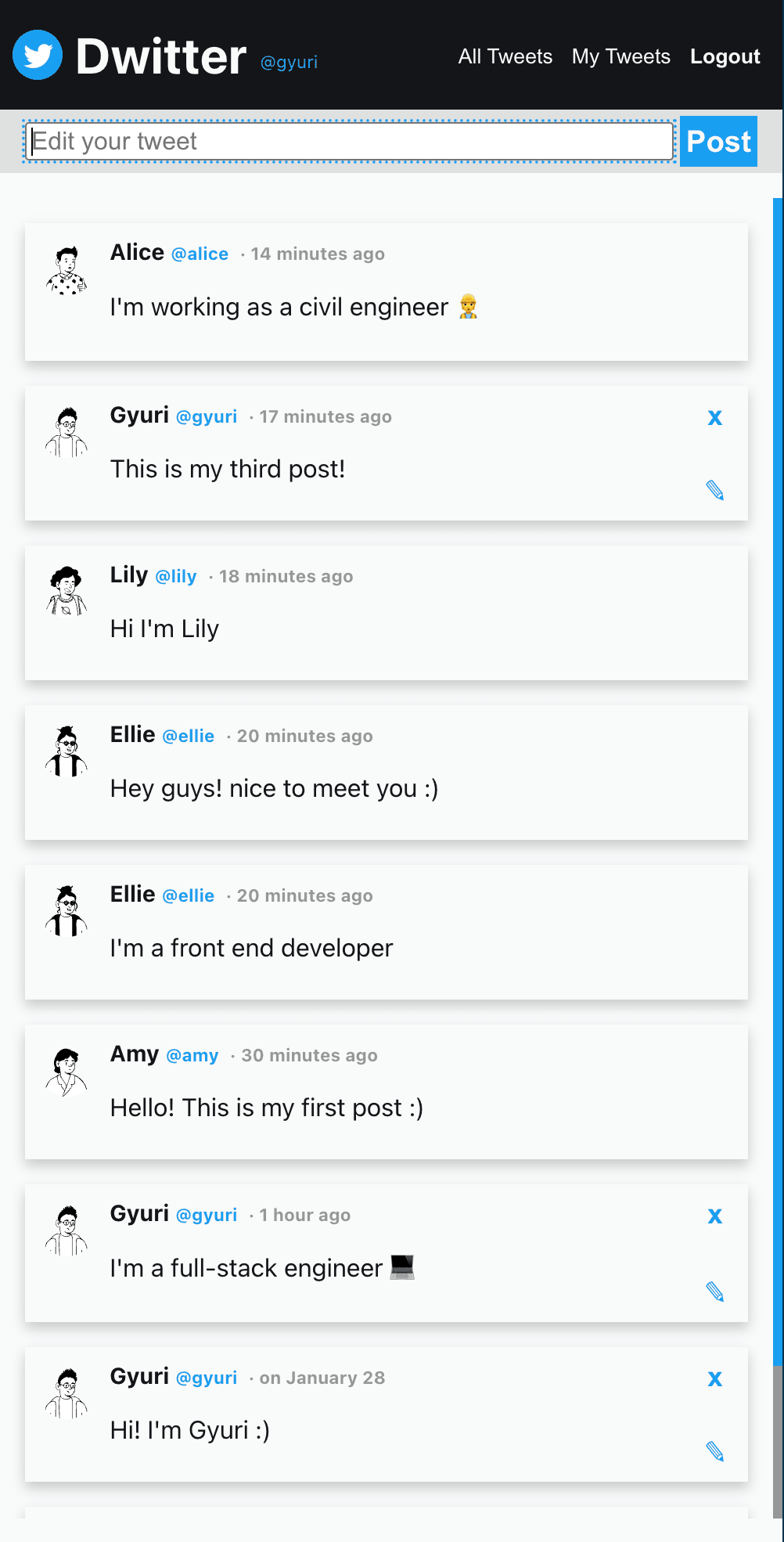
The server uses Socket.IO to broadcast tweet events. When a user posts a tweet, it instantly appears on the feeds of all connected clients without requiring a page refresh.
🔒 Security & Authentication
- Hybrid Auth: Supports both HTTP-only cookies for browser security and Bearer tokens for non-browser API clients.
- Advanced Protection: Implemented CSRF protection, Helmet for secure headers, and Rate Limiting to prevent automated abuse.
- Encrypted Storage: User passwords are securely hashed using BCrypt with 12 salt rounds.
🏗 Project Architecture & Tech Stack
This server follows a modular folder structure to separate concerns between routing, business logic (controllers), and data access (data/db).
| Feature | Technology |
|---|---|
| Runtime & Framework | Node.js (ESM), Express |
| Database | MongoDB with Mongoose ODM |
| Real-time | Socket.IO for instant tweet broadcasting |
| Security | JWT, BCrypt, Helmet, CSRF Protection, Rate Limiting |
📸 Core Features
The backend is designed with both security and user experience in mind.
- Real-time Interaction: When a user posts a tweet, it is instantly broadcasted to all connected clients using Socket.IO without needing a page refresh.
- Dual-Layer Authentication: Supports HTTP-only cookies for web browsers and Bearer Tokens for non-browser clients (like mobile apps).
- Comprehensive Security:
- CSRF Protection: Non-GET requests require a
dwitter-csrf-token. - Rate Limiting: Prevents abuse by limiting the number of requests per window.
- Password Hashing: Secure storage using BCrypt with 12 salt rounds.
- CSRF Protection: Non-GET requests require a
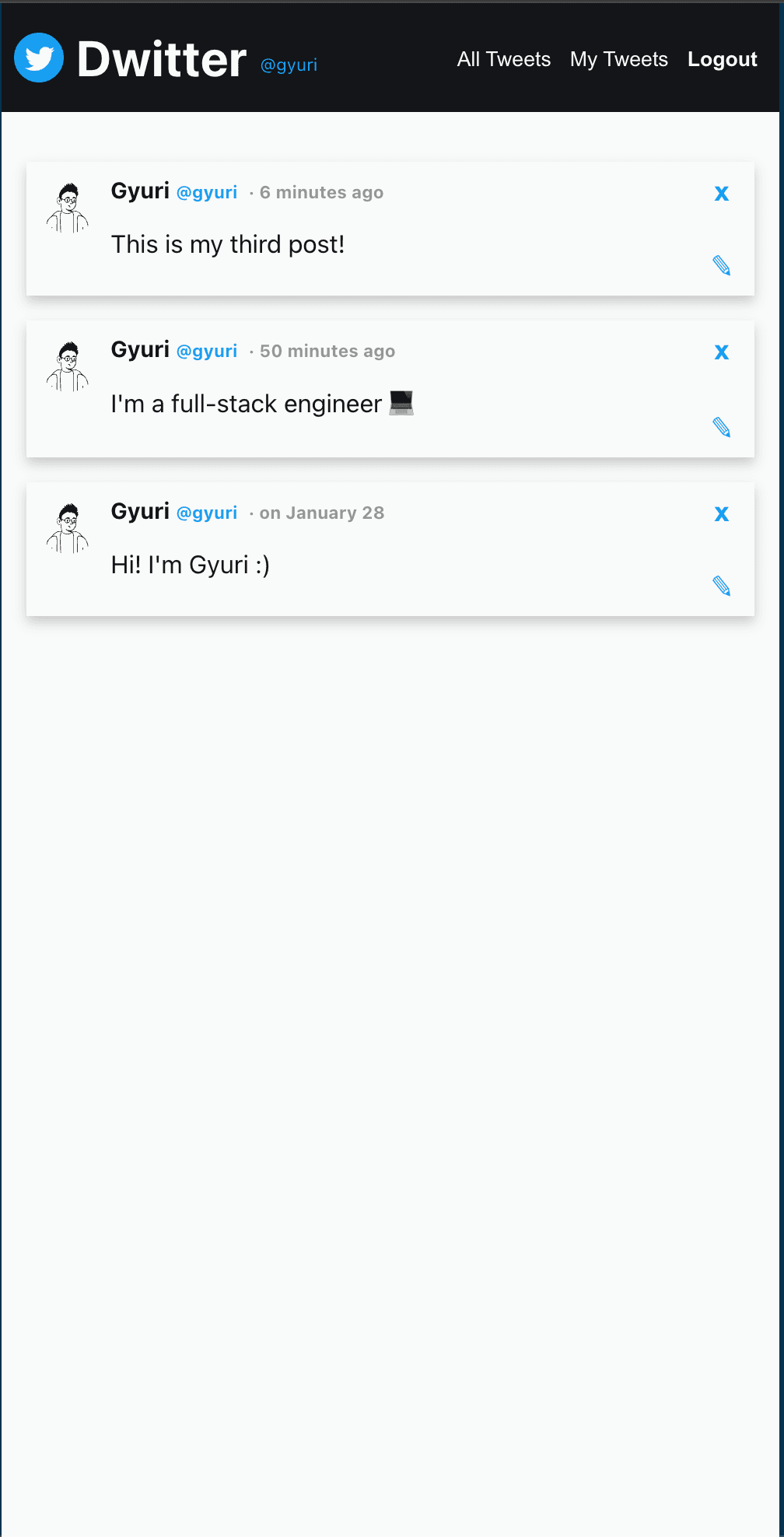
📸 Project Preview
Here is a look at the live application interface and the real-time feed.
| Feed View | User Interaction |
|---|---|
 |  |
Installation
1) Install dependencies
npm install
2) Configure environment variables
Create a .env file in the project root and set the following values:
JWT_SECRET=your_jwt_secret
JWT_EXPIRES_IN_SECOND=172800
BCRYPT_SALT_ROUNDS=12
MONGODB_URI=mongodb://localhost:27017/dwitter
PORT=8080
CORS_ALLOW_ORIGIN=http://localhost:3000
CSRF_SECRET_KEY=your_csrf_secret
RATE_LIMIT_WINDOW_MS=60000
RATE_LIMIT_MAX_REQUESTS=100
3) Run the server
npm run dev
# or
npm start
Folder Structure
.
├── app.js
├── config.js
├── connection/
│   └── socket.js
├── controller/
│   ├── auth.js
│   └── tweet.js
├── data/
│   ├── auth.js
│   └── tweet.js
├── db/
│   └── database.js
├── middleware/
│   ├── auth.js
│   ├── csrf.js
│   ├── rate-limiter.js
│   └── validator.js
└── router/
    ├── auth.js
    └── tweets.js
Notes
- API routes are mounted under
/authand/tweets. - For browser clients, JWT is set as an HTTP-only cookie; non-browser clients can use the
Authorization: Bearer <token>header. - Non-GET requests require the
dwitter-csrf-tokenheader obtained from/auth/csrf-token.
Mobile App
A deep dive into developing a cross-platform mobile app using React Native and TypeScript.